Finding Media (Images, PDFs, etc.) by My CSU ID
You can now find media by your CSU ID. This is helpful when looking for media that may not be accessible.
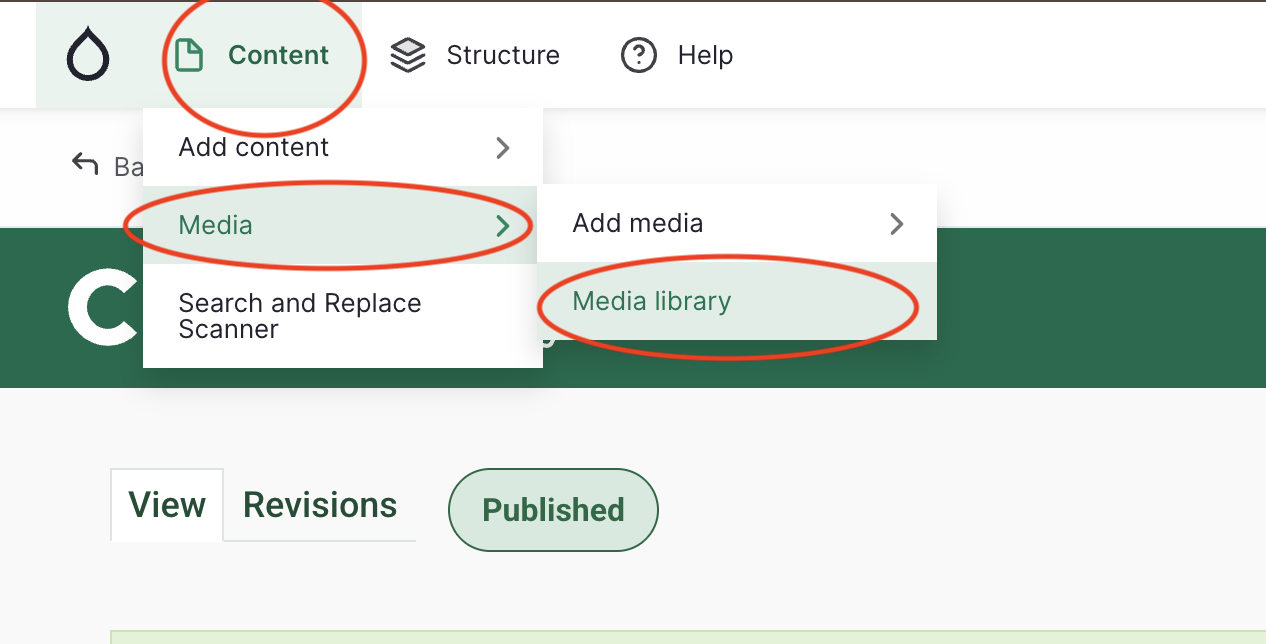
- Hover on Content
- Hover on Media
- Click on Media Library
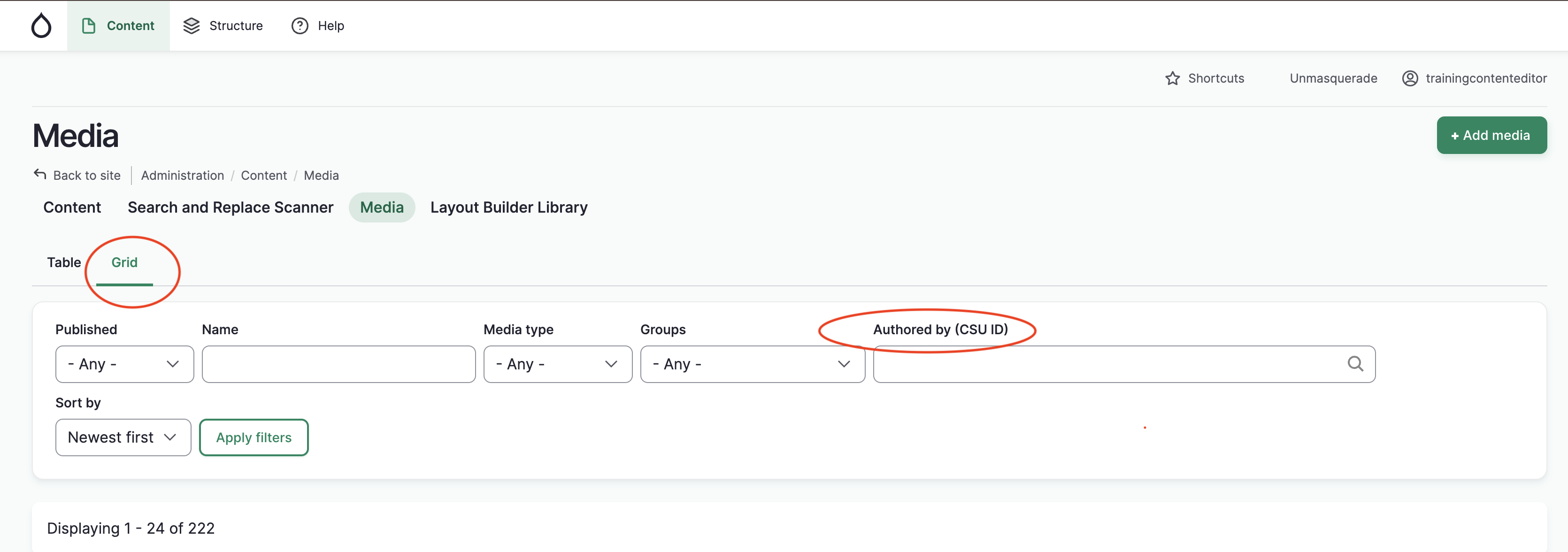
- Make sure you are in Grid view
Now, you can search for your own CSU ID and check which items are accessible.