Center for eLearning
Contact Information
Mailing Address
Center for eLearning
Cleveland State University
2121 Euclid Avenue, RT201
Cleveland, OH 44115
Campus Location
Center for eLearning, RT201
1860 East 22nd Street
Cleveland, OH 44115-2214
Phone: 216.687.3960
Fax: 216.875.9733
elearning@csuohio.edu
Honorlock

Honorlock is an on-demand proctoring service that requires use of Google Chrome with an extension. Honorlock's smart proctoring system integrates seamlessly into Blackboard and allows you to customize exams, monitor performance, and generate robust analytics. Setup is fast, simple, and includes state-of-the-art security features not found in other remote proctoring solutions. You also have the option to offer proctored exams given in ANY third party platform such as Pearson MyMathLab, McGraw-Hill Connect, and WebAssign.
Students benefit from 24/7 scheduling of online exams whenever and wherever they choose. A lightweight browser plugin manages both exam registrations and proctoring events while Honorlock’s advanced AI platform handles the rest.
How to Add Honorlock to Your Course:
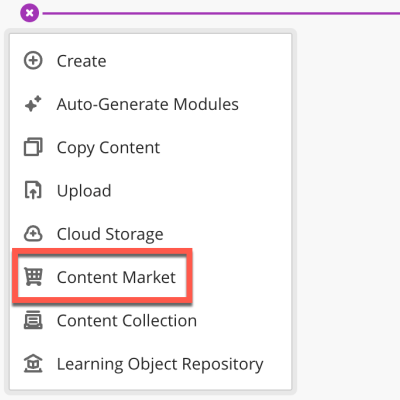
Step 1: Click on the plus sign > Content Market.
Step 2: Look through the alphabetical list for Honorlock and click on the plus sign to add the tool to your course.
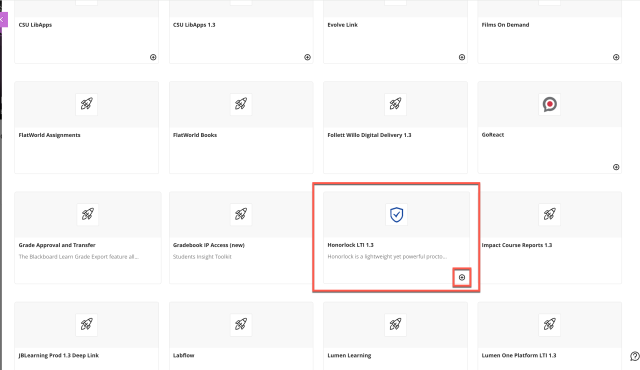
Step 3: You will now see the Honorlock tool in your course.

How to Enable Honorlock on a Test
Enabling Honorlock for a test requires two actions. You must first enable Honorlock on the test itself (Steps 1 and 2) and then, in the Honorlock tool (Step 3).
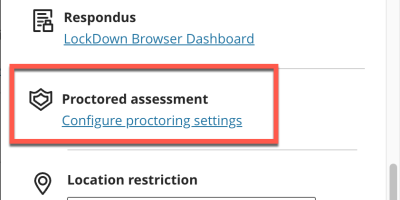
Step 1: When you create a Test, you will see Proctored Assessment under the Assessment Settings. Click on Configure proctoring settings.
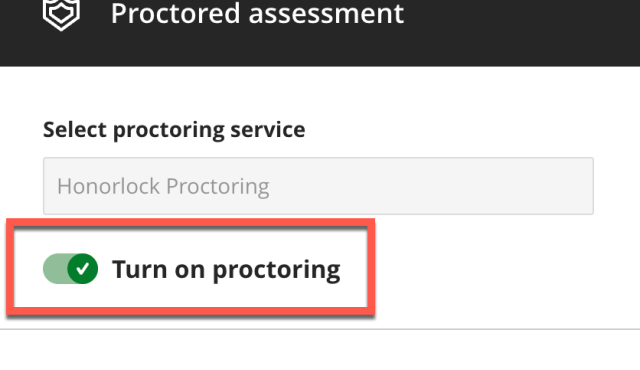
Step 2: Select Turn on Proctoring and click Save. Click Save once more to save the Assessment Settings.
Step 3: After you save the Assessment Settings, Honorlock will open. Click on Enable for the test you would like to use Honorlock with and choose the appropriate Proctoring Settings in Honorlock.
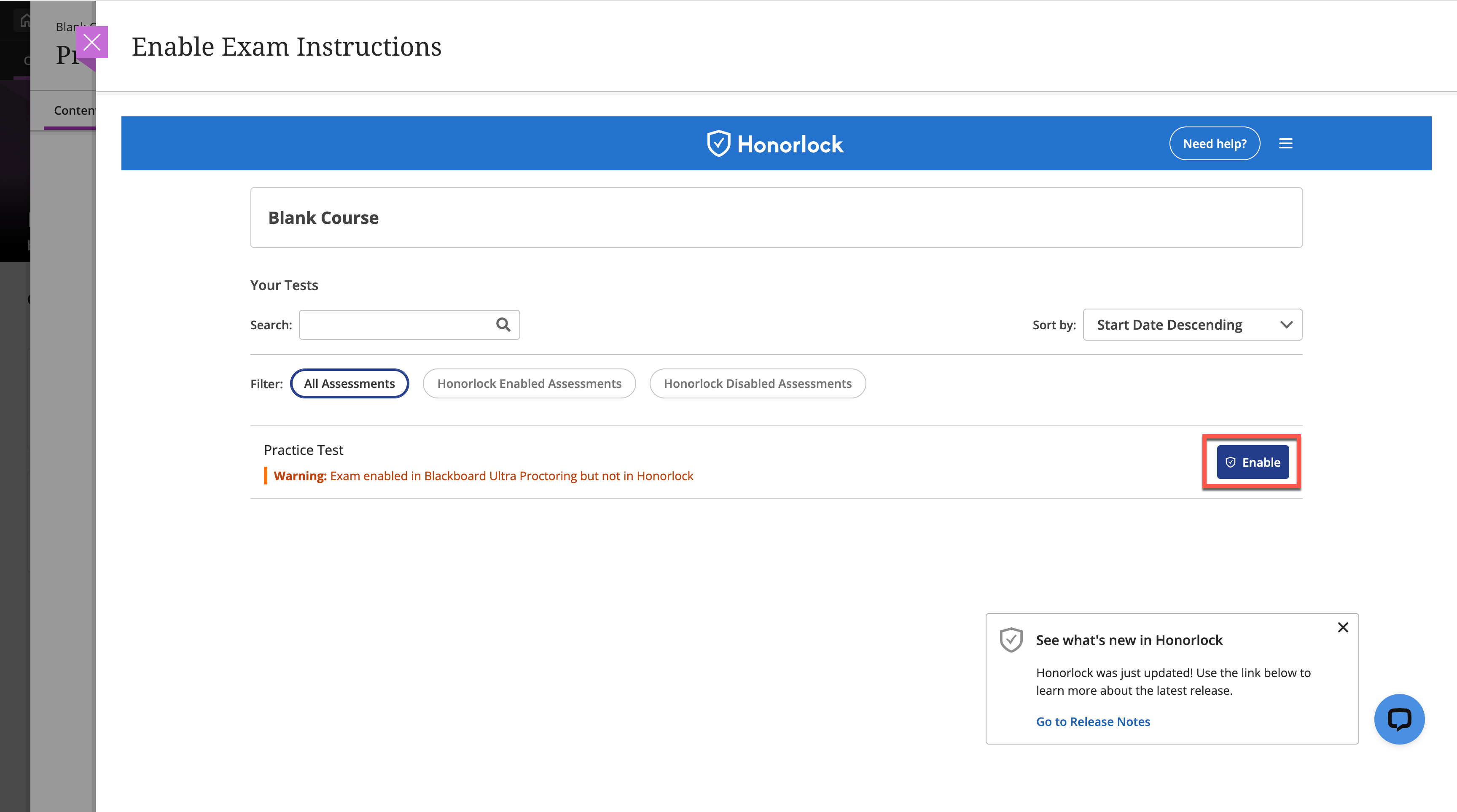
For additional instructions, visit the following Honorlock Support page.
How to Create a Honorlock Practice Exam
There is a very simple process to help ensure your students are ready to use Honorlock. You have the ability, within the Honorlock LTI, to create a Practice Exam for students to get acclimated with the system and make sure they are prepared for their higher-stakes exams.
Follow the instructions to create a practice exam in Blackboard Ultra.
Helpful Resources:
Contact Information
Mailing Address
Center for eLearning
Cleveland State University
2121 Euclid Avenue, RT201
Cleveland, OH 44115
Campus Location
Center for eLearning, RT201
1860 East 22nd Street
Cleveland, OH 44115-2214
Phone: 216.687.3960
Fax: 216.875.9733
elearning@csuohio.edu